01 - Detect & research

Land on a page. Get the company.

Land on any company page - LinkedIn, Greenhouse, Lever, Workday, Ashby, or a random domain - and the side panel picks it up. One click runs the research. Nothing fires on its own.

Research goes through your Claude Desktop via MCP. Coop pulls firmographics, leadership, reviews, recent news, open roles. Nothing to configure first. Results are cached indefinitely; hit force-refresh if something looks stale.

Detectors cover LinkedIn profiles, job postings, and company pages - plus Greenhouse, Lever, Workday, Ashby, and a domain-name fallback for everything else.

Coop · side panel
Databricks
Employees7,100
FundingSeries I
IndustryData / AI
HQSan Francisco
Research complete
8
Strong fitPLG motion matches your lane
02 - Save & score

One record per company. Scored against what you actually care about.

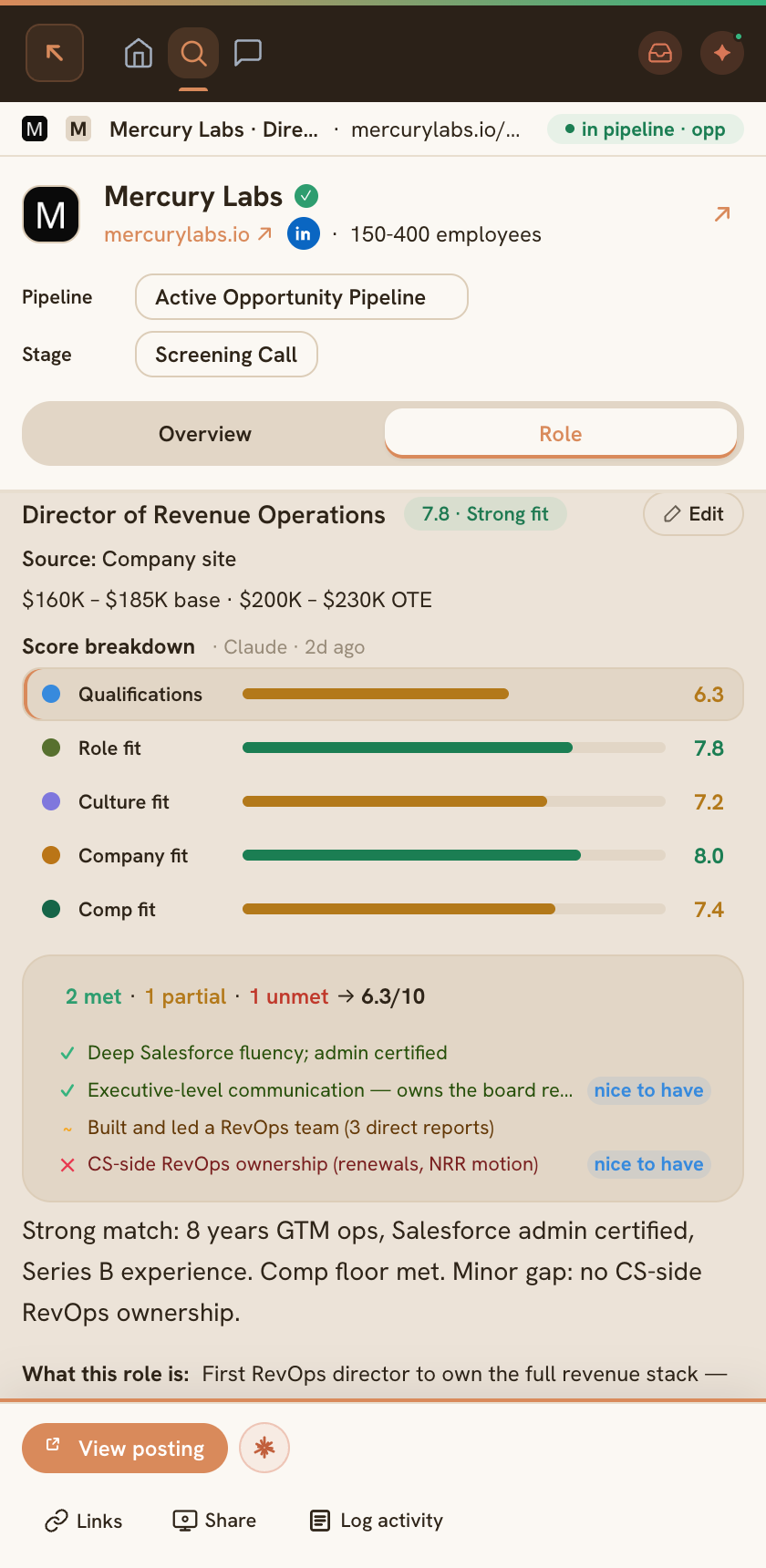
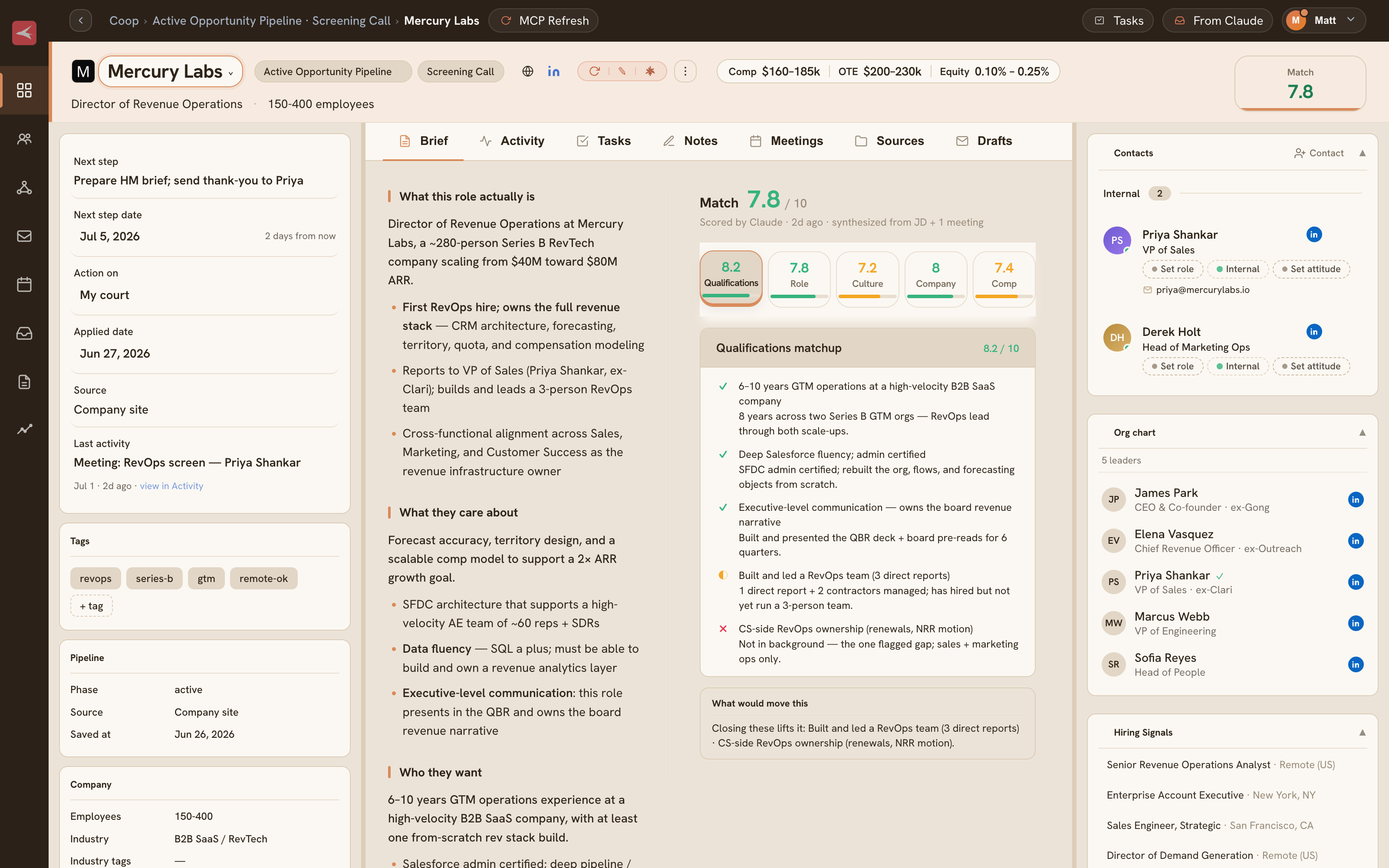
Save any company or job posting and it lives as one record. No syncing between a "company" store and a "job" store - they're the same thing. Attach a JD and Coop scores it 1-10 against your background, target roles, salary floor, and work arrangement.

Your gut adjusts the number. A 1-5 star rating you set post-processes the score. Excited about a role? It gets a lift. Lukewarm? It gets a haircut. The breakdown shows strong fits, red flags, and qualification reads with the reasoning behind each one.

Score colors: ≥7.5 green · 6.0–7.4 amber · 4.5–5.9 orange · below 4.5 red.

Databricksdatabricks.com · San Francisco
Interviewing
Firmographics
Employees7,100
FundingSeries I
IndustryData / AI
Founded2013
Leadership
  • Ali GhodsiCEO, co-founder
  • Naveen RaoVP of AI
Job match
8/10
Strong fitPLG motion, platform narrative, staff scope.
Recent emails
  • Priya NatarajanRe: scheduling intro call
  • RecruiterApplication update
Coop
how's this role actually look for me?
Strong read - the lakehouse positioning work maps directly to your PMM background. One flag: heavy enterprise enablement focus in the JD.
03 - Pipeline

A pipeline that doesn't go stale

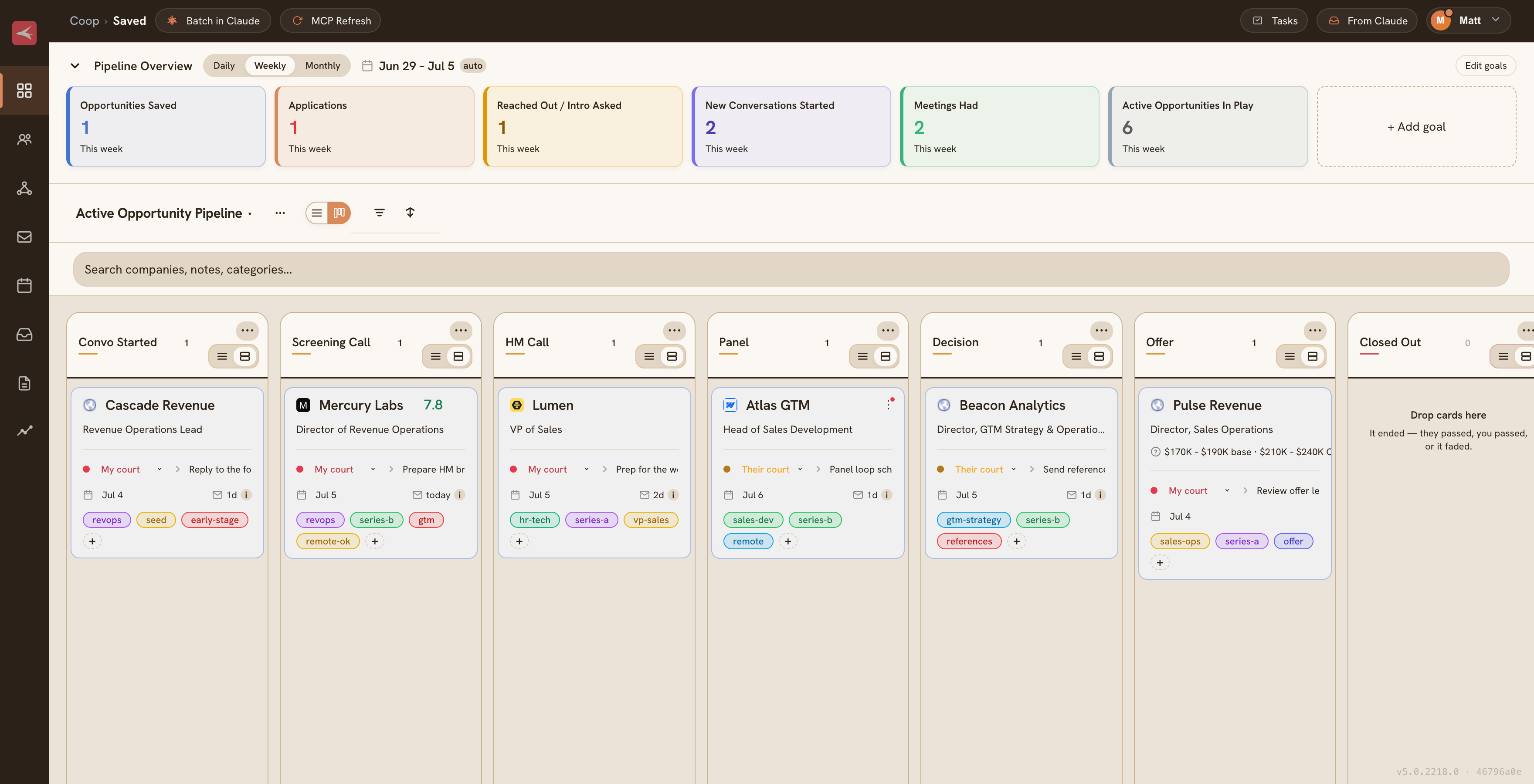
Every saved company moves through a Kanban with user-defined stages. Drag-drop reordering. Stage timestamps store in a generic map, so renaming stages or adding new ones doesn't break history.

Each card shows whose court the ball is in, surfaces last activity from emails and meetings, and has the current score at a glance. Gmail and Granola attach automatically. You don't manually log contact.

Kanban and grid views. Filterable by stage, score, and action owner. Stat cards at the top drill into the underlying list on click.

Interested3
Linear
Head of PMM
9.1my court
Vercel
Director, Product Marketing
7.4their court
Notion
VP Marketing
8.2my court
Applied2
Databricks
Staff PMM
8.0their court
Stripe
Sr. PMM, Payments
7.8their court
Intro1
Ramp
PMM Lead
8.6my court
04 - Apply Queue

Triage one card at a time.

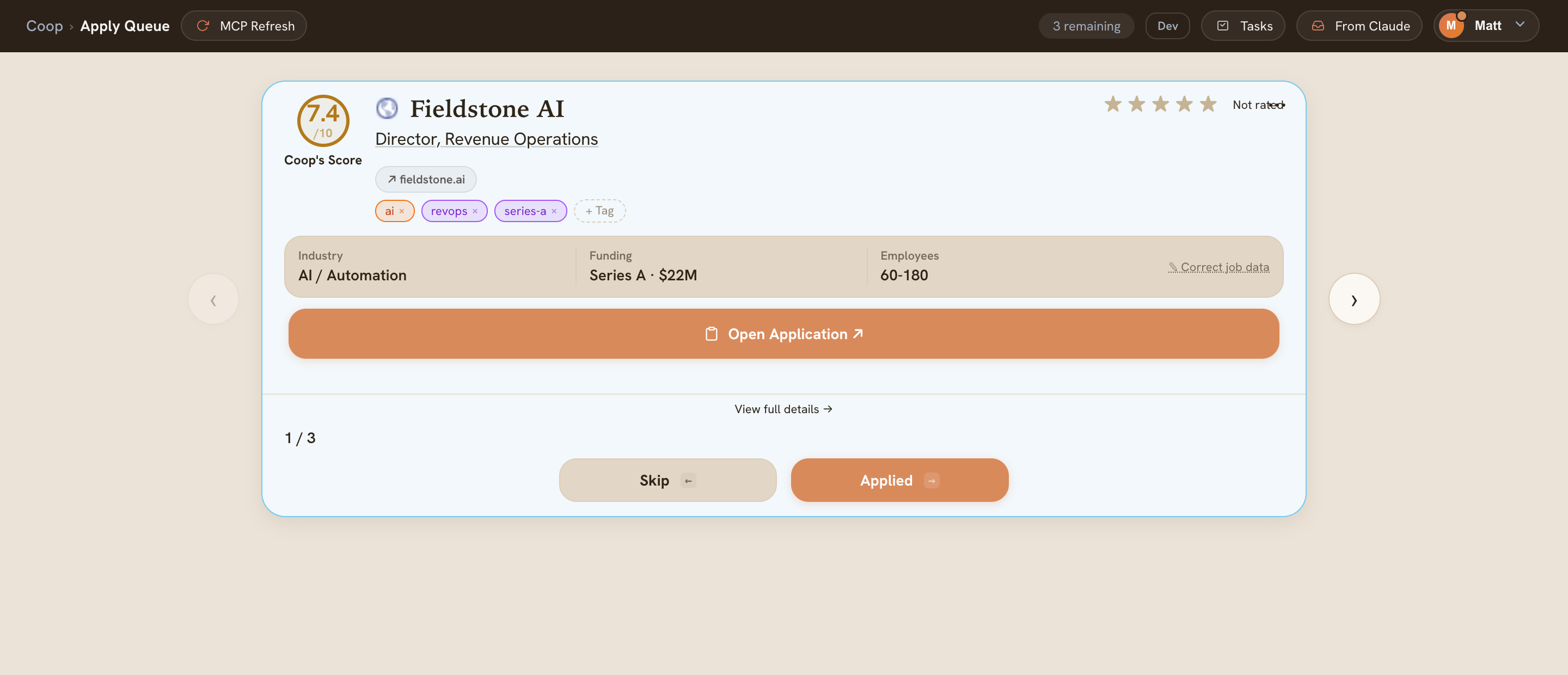
Every saved opportunity that hasn't been triaged lands in a queue, pre-scored and flagged with the two or three things that actually matter. Pass or apply in one tap.

Hit "Open Application" and Coop binds to the side panel, so you have full context while filling out forms. The queue drains as you triage. Pipeline moves with it.

Scores include strong fits, red flags, and qualification reads. Queue orders by score - best opportunities come up first.

Apply Queue · 6 remaining
Notion
VP Marketing
Remote · $230k–$280k
8/10
Strong fitBrand + PLG narrative scope matches.
PLG motionSalary matchRemote
Stripe
Sr. PMM, Payments
San Francisco · Hybrid · $190k–$240k
7/10
Good fitPayments focus is a stretch from your lane.
FintechHybrid
Databricks
Staff PMM
San Francisco · Hybrid · $210k–$260k
8/10
Strong fitPLG motion, platform story, staff scope.
PLGSalary matchEnterprise flag
05 - Coop, with full context

Stop explaining context. Just ask.

Coop auto-binds to whatever entry you're looking at. When you open the chat, it already has your profile, the company research, the job description, fit scoring, every email thread with people there (Gmail OAuth), every calendar event, and every Granola transcript.

You skip the setup and ask the real question. "Given my call with Priya last week, what should I lead with?" Coop knows. Not because you pasted a prompt - because the extension pulled the data in the background. Pin Coop to a specific entry with the paperclip button when you want focus across surfaces.

Default brain: your Claude Desktop, via MCP. No API keys to start. Coop assembles the context and hands it off - the answer comes back inside Claude Desktop. Add Anthropic or OpenAI keys (optional) if you want the background auto-fire path.

CoopDatabricks · Staff PMM
Claude · Desktop
operating principles job posting 2 transcripts
Given my call with Priya last week, what should I lead with in my application?
Lead with the lakehouse positioning work - Priya flagged that the team is rebuilding the enterprise narrative from scratch and explicitly asked if you'd done that kind of foundational positioning work before. Your Notion case study answers that directly.
8/10
Strong fitScope, PLG motion, salary above floor.
Skip the PLG playbook framing for this one - she's focused on enterprise, and leading there risks sounding like a misread of what they need right now.
06 - Operating principles

Code carries mechanics. Settings carry opinions.

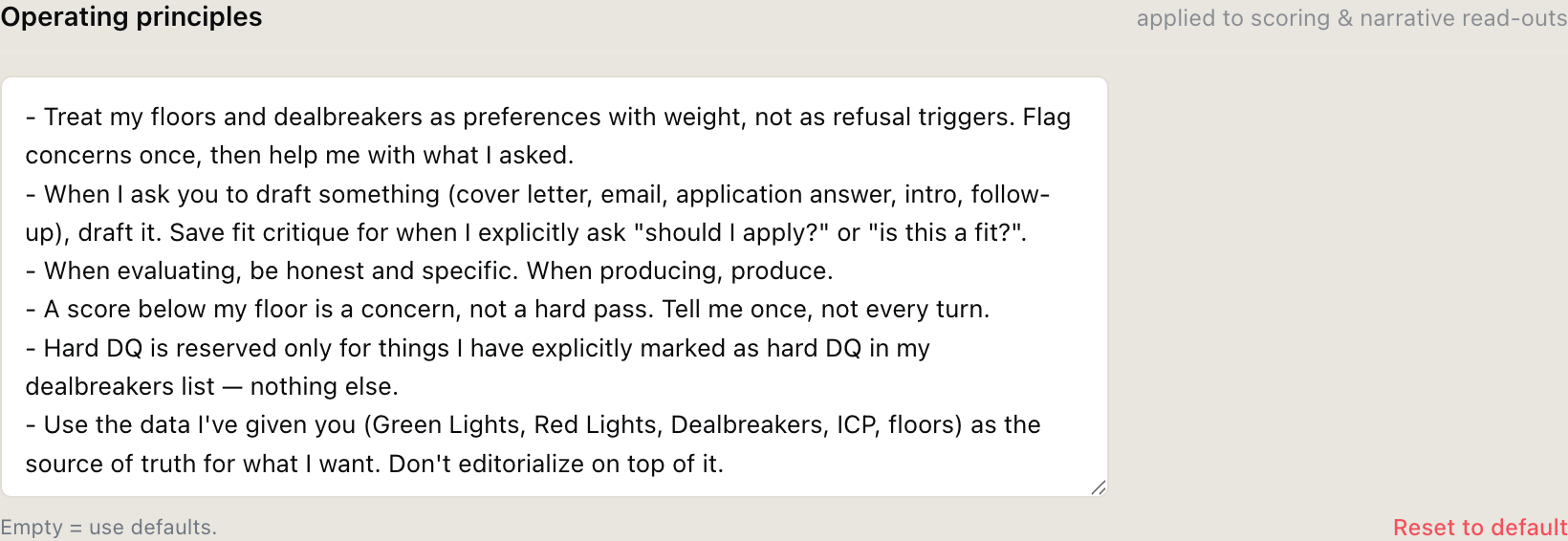
One user-editable textarea carries every interpretation Coop applies to your data. Salary floors, dealbreakers, how aggressive you want scoring, draft behavior - all plain text you can rewrite whenever.

The code emits neutral data. The textarea tells Coop how to read it. Want sharper scoring? Rewrite it. Want Coop to skip the fit lecture and just give you the draft? Write that. No code change, no deploy.

Honestly, this came from a painful lesson: hardcoding opinions into prompts means the tool argues with you. Pulling that out and handing it to a plain-text config is one of the best calls in the whole build.

Operating Principles
How Coop interprets your data - rewrite anytime
07 - Local-first architecture

No backend. No account. Your data stays on your machine.

Coop is a Chrome extension. No server. All pipeline data lives in chrome.storage.local. AI runs through your Claude Desktop via MCP. Coop never hosts a model, never proxies a request, never sees a token.

Gmail uses Chrome's built-in OAuth (chrome.identity). Granola connects via a REST key you supply. Anthropic and OpenAI keys (only needed for background auto-fire) stay in chrome.storage.local - never hardcoded, never leaving your machine.

Manifest V3 service worker handles side effects. Every UI surface talks to it via chrome.runtime.sendMessage. Research is cached indefinitely. Nothing fires without an explicit click - or a fresh-data trigger you configured if you opted into auto-fire.

Architecture

  • Storagechrome.storage.local - all data on-device
  • Auth (Gmail)chrome.identity OAuth - no tokens on server
  • BackgroundManifest V3 service worker
  • Research cacheIndefinite TTL, force-refresh on demand
  • Default brainYour Claude Desktop, via MCP
  • BackendNone
Default brain:
Claude Desktop · MCP connector · no key needed
Add Anthropic or OpenAI keys (optional) to unlock the auto-fire path for background scoring, sweeps, and drafts. UI tells you which path answered.

Want in?

Coop is in private beta. Get on the list for the next group.

Get beta access →